
Please allow up to an hour for any changes to take effect.
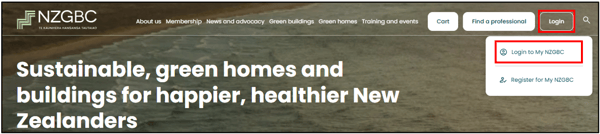
Log into your Dashboard on the NZGBC website
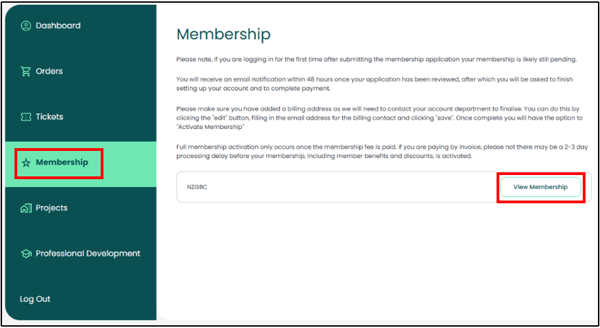
On your Dashboard, navigate to "Membership"
Select 'View Membership' on the right-hand side:
Add New Staff:
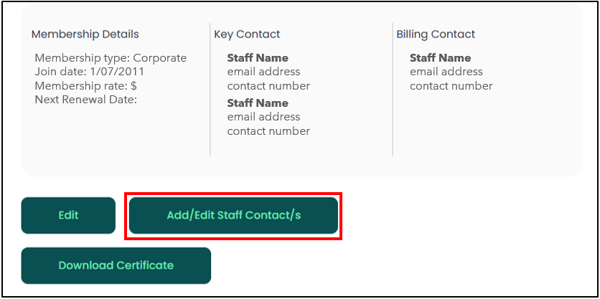
Click on the 'Add/Edit Staff Contact/s' button:
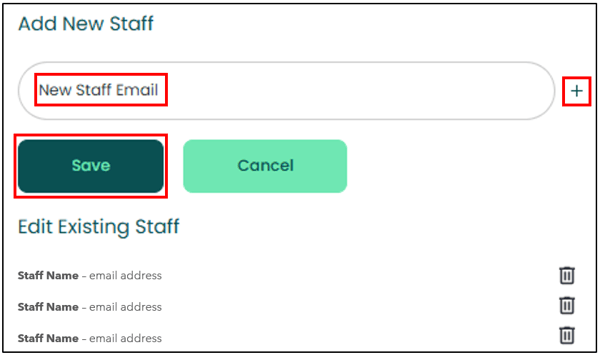
Enter the new staff members email and click on 'Save'
Click on the '+' symbol to add multiple new staff at the same time.
The staff member will receive a "Set up your MyNZGBC account and password" email.
Upon successful login, they can update their details via their own Dashboard.
Remove Staff:
Click on the 'Add/Edit Staff Contact/s' button:
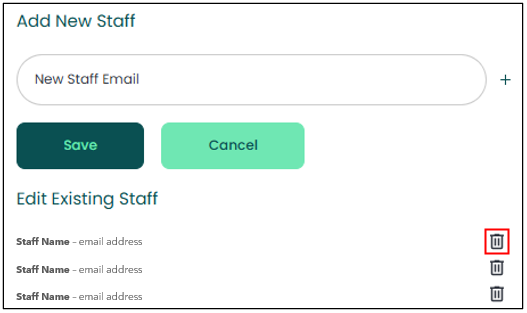
Click on the bin icon beside the staff member that you wish to remove:
Need Assistance?
If you require any assistance with updating your Company Profile, please reach out to the NZGBC Membership Team.